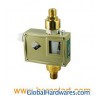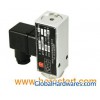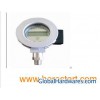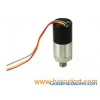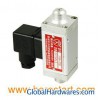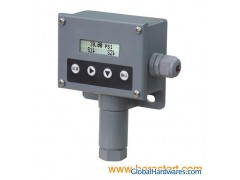
Feathers High Accuracy Long working life Acid Resistance and Alkali resistance with LCD display Specification Set Point Range: 0~600Bar Adjustment: Touch button set Cable connection: Size M18x1.5 (with a tighten sleeve) Pipe connection: G1/4" Female (typical) Accuracy: Less than 0.1% Burst Pressure: ≤ 200% Power supply: DC 24V or AC 220V Power consumption: ≤ 5W Lifetime at rated load: 1x10⁶ Weight: 0.75kg/PC [EXAMPLE]: Range from 0~1MPa, the Up Set-point is required to be 0.65MPa, the Down Set-point is required to be 0.42MPa, please see the followings: Step 1: Press " SET" button, there will be three words appear on the top of screen, " Upper Limit", "Lower Limit", "Exit", and word "Upper Limit" is twinkling. Step 2: Press "ENTER" button, it will appear "88.88" at the bottom of screen, and the first "8" is twinkling, press " ", the twinkling "8" will become "0" Step 3: Press " ", the second "8" will twinkle, press " ", until the "8" become " 0". Step 4: Press " ", the third "8" will twinkle, press " ", until the "8" become " 6". Step 5: Press " ", the last "8" will twinkle, press " ", until the "8" become " 5". Step 6: There will be a value "00.65" displayed on the bottom of screen, press " ENTER", the "Upper Limit" on the top will twinkle. Step 7: Press " ", the " Lower Limit" which on the top of screen will twinkle, pressure " ENTER", thus to set up the "Lower Limit" Step 8: Repeat Step 3 four times, until there is a value "00.42" displayed at the bottom of screen, press "ENTER", at the same time, " Lower Limit" will twinkle. Step 9: Press " ", "Exit" will twinkle on the top of screen, press "ENTER", finish the setting. Single Set-point [EXAMPLE]: Range from 0~1MPa, the Set-point is 0.65MPa, please see the followings: Step 1: Press " SET" button, there will be three words appear on the top of screen, " Upper Limit", "Lower Limit", "Exit", and word "Upper Limit" is twinkling. Step 2: Press "ENTER" button, it will appear "88.88" at the bottom of screen, and the first "8" is twinkling, press " ", the twinkling "8" will become "0" Step 3: Press " ", the second "8" will twinkle, press " ", until the "8" become " 0". Step 4: Press " ", the third "8" will twinkle, press " ", until the "8" become " 6". Step 5: Press " ", the last "8" will twinkle, press " ", until the "8" become " 5". Step 6: There will be a value "00.65" displayed on the bottom of screen, press " ENTER", the "Upper Limit" on the top will twinkle. Step 7: Press " ", the " Lower Limit" which on the top of screen will twinkle, pressure " ENTER", thus to set up the "Lower Limit" Step 8: Repeat Step 3 four times, until there is a value "00.00" displayed at the bottom of screen, press "ENTER", at the same time, " Lower Limit" will twinkle. Step 9: Press " ", "Exit" will twinkle on the top of screen, press "ENTER", finish the setting.