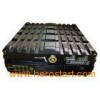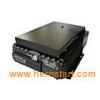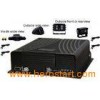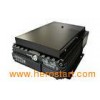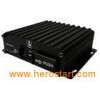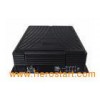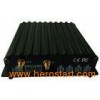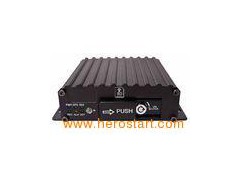

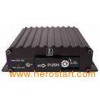


High Definition Mobile DVR For Car , RS485 , Four Alarm Inputs Description: 4-CH dual SD MDVR; 4 ch video & audio inputs; 2 D1+ 2 CIF H.264 Compression; Two SD slots, each slot supports 128GB; Four alarm inputs & one alarm output; one RS485, one RS232; Embedded G-sensor; power input: +8V --- +36V; Support GPS function. Product Technical parameters: ---- System | language | Chinese/ English | Operation system | Linux | Operation interface | Graphical User interface(OSD menu) | Password | User /Admin password | Control mode | IR remote control | Video | Video input | 4-ch video composite input | Video output | 1-ch output | Display mode | Single/ 4-ch video | Video compression | H.264 Main profile | PAL:100f at D1/s, NTSC: 120f at D1/s | Video Signal | PAL, NTSC | Audio | Audio input | 4-ch audio input | Audio output | 1-ch audio output | Recording mode | Audio & Video sync Recording | Image processing & storage | Image format mode | CIF/HD1/D1 optional | Video stream Stardard | ISO14496-10 | Video bitrate | CIF: 1536Kbps ~ 128Kbps, | HD1: 2048Kbps ~ 380Kbps, | D1: 2048Kbps ~ 400Kbps | 8 levels optional. Highest:1 level; Lowest: 8 level | Audio Bitrate | 8KB/s | Storage | Support Dual SD card, Max 64GB(single),total 128GB; | Alarm | Alarm input | 4 alarm input, below 4V is low level alarm, above 4V are high level alarm | Alarm output | 2 alarm output, output high level:12V | Communication Interface | RS485 Interface | Support 2-RS485 interface | RS232 Interface | Support 1-RS232 interface | Extended interface | announce | support extended announcer or LED panel | SPEAK | SPEAK+,SPEAK- | Acceleration Sensor | Acceleration G-Sensor(optional) | Module | GPS | GPS module. GPS Graph, GPS speed etc can be read in coding flow, and can be uploaded via wireless | Software | PAS(Playback Analysis Software) | Playback Recording on PC, and analyze the vehicle recording information. | Software upgrade | Upgrade via SD card directly. | Vehicle key signal | 4V | OFF | 5V | ON | Working environment | Working voltage | Input voltage DC8V-36V,enter into protected mode if its not in the range. | Power output | Output voltage 12V(0.2V),Max: 2A | Input impedance | 75 for each input impedance | Working temperature | -25-85 | Working humidity | 20%-95% | Body Dimension | 154x125x45(mm) | ---- Product size: Advantage: Playback all video file and GPS tracking(Playback Analysis Software). FAQ Q: What can I do when I found a problem with the product, but I can not solve it by myself?A: Take note of the model and software version number, then submit a detailed description of the problem to the technical supporting engineers to analyze; the more detailed you have submitted, the more convenient for us to analysize.Q: How about when there is no video output from the vehicle host device? A: 1.Check the hosts turn-on status, if only a blue light on, it means the host is in standby status and has not been started up yet, meanwhile check whether the hosts power cords red & yellow cords are in power supply status or not, if only one cord is supplying power, the device is unable to start up. 2.Check the power supply status of display screen, as well as check whether the display video has been switched to AV status. 3 Check the connecting status between the hosts video output cable and display screen. 4 check whether the lock status of the hosts LOCK, it must be locked before normal starting up.Q: How to do when the car host video input interface is different from the camera output interface? A: The car uses 4PIN type while camera uses BNC or aviation head type, if not in correspondence, please use conversion head for connection or wiring based on standard corresponding according to the cable sequence defined by the car host.Q: How to do when the device does not conduct video recording after it is turned on and SD card has already been installed? A: 1.Check whether the SD card has been formatted or not after installation, because unformatted SD card cannot be used. Enter System Menu - System Tools - Device Format to format the newly installed SD card; 2. Check to see whether video channel is closed or not, whether set a timer recording or not, it will not take video when it is not within the video recording time period. 3.Check the SD card inserting status and whether the SD light on front panel is on or not.Q: The video file is missing or there is no video file within a certain period of time, how to do? A: 1. Determine the time period by analy